
🧠 Frontend ≠ Just UI
When someone says "frontend," many still think it just means styling buttons and aligning layouts. But frontend engineering is far more than UI.
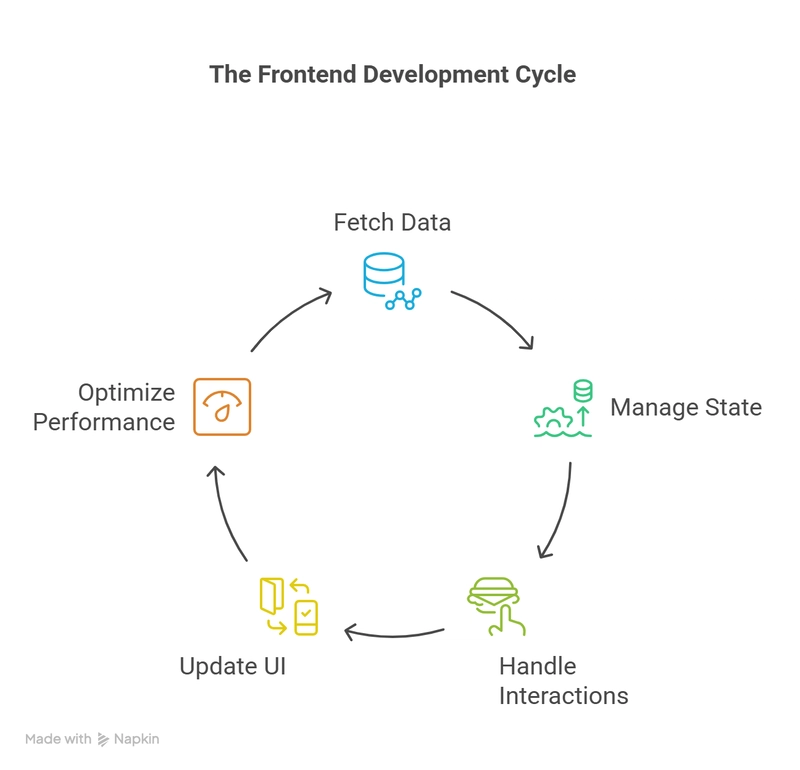
At its core, it's about building systems that serve human experiences — systems that think, respond, adapt, and scale.
🔍 System Thinking in Frontend
Frontend engineers make design decisions that ripple through the entire product.
We think in terms of:
-
Data flow — Where does the data come from? Who owns it? How is it updated?
-
State models — What does the UI look like in each state? Loading, error, empty, success?
-
Component architecture — How do we break the UI into reusable, testable pieces?
-
User experience flow — How does a user's action change the application state or behavior?
-
Accessibility and edge cases — Can everyone, regardless of ability or device, use the product?
This is system thinking — seeing the frontend not as isolated screens but as part of a living, breathing system that reacts, updates, and scales.
🧠 UI is Static. Frontend is Dynamic
Let’s break it down:
-
UI (Visual Layer):
- Buttons and colors
- Layout and spacing
- Typography
- Icons and visuals
- Style guides
-
Frontend Engineering:
- State handling (e.g., Redux)
- API integration
- Component lifecycle
- Conditional rendering
- Form validation & error flows
🧩 Example of To-Do App: A Frontend System
Simple UI: Input, list, checkboxes
Hidden complexity:
- State model: done, deleted, filtered
- Component structure: list → item → checkbox → actions
- Data sync: local, remote, or both
- Error handling: server failure, offline
- Accessibility: keyboard nav, screen reader
🧑💻 Summary
Frontend isn't fluff. It's not just CSS and colors.
It’s the glue between humans and machines.
Whether you’re designing a dashboard, a mobile app, or an interactive form — you’re thinking in systems. And that’s where the real challenge (and joy) lies.